Logs
Searching and filtering function logs across your deployment.
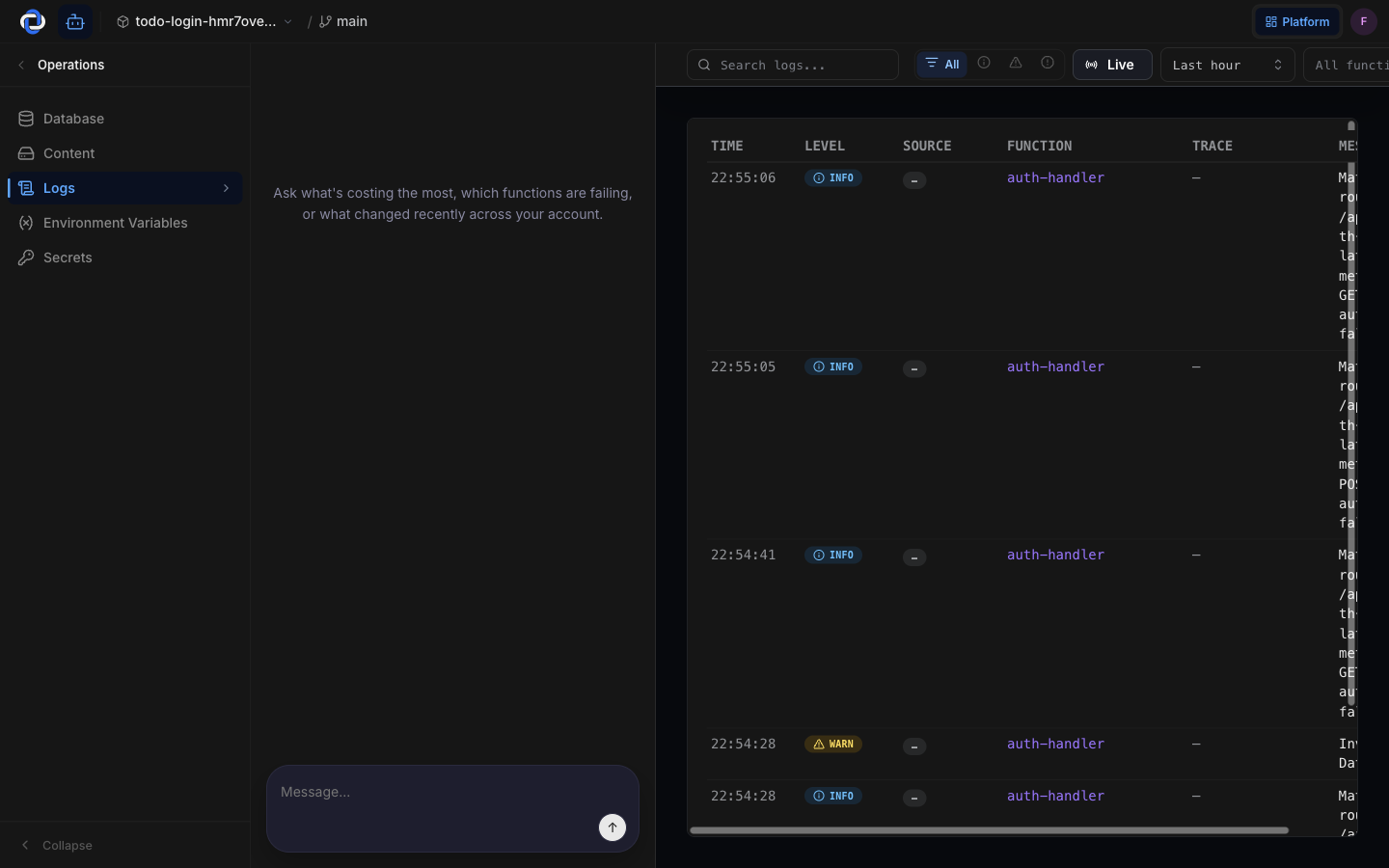
Logs are the record of what your app actually did — every notable thing your functions write down as they run. When a user says "something broke," this is where you find out what, when, and to whom. You can search and filter the whole record in plain English terms, no engineering jargon required.
What it's for
Your overview dashboard tells you that something's wrong. Logs tell you what. They're the detailed diary your app keeps — useful the moment you need to trace one specific problem, one specific user, or one specific moment in time.
How to find what happened
When someone reports an issue, you usually have a clue — their email, roughly when it happened, or what they were trying to do. Use that to narrow things down:
- Search for what you know. Type a user's email, an order number, or a word from the error into the search box to jump straight to the matching entries.
- Filter by time. Narrow to the window when the problem happened so you're not scrolling through everything.
- Filter by severity. Focus on entries marked as errors to see what actually went wrong, and skip the routine chatter.
Start broad, then tighten the filters until you're looking at just the handful of entries around the problem.
Normal noise vs. a real problem
Your app records a lot, and most of it is healthy. Routine entries — "request received," "email sent," "job finished" — are just your app narrating its normal work. That's expected and fine.
What deserves attention are entries marked as errors or warnings, especially if you see the same one repeating. A single stray error can be harmless; the same error happening again and again to different users is a real problem worth tracing. When in doubt, cross-check with the error rate on your overview.
Reading and searching logs changes nothing about your app. You're viewing a record — you can't break anything by looking.
Where to go next
- Observability overview — start here to see whether something's wrong before you dig into logs.
- Agents — understand the actions automated agents take, recorded with who triggered them.
- Database schema — see the live structure of the data behind these logs.