Emails
The transactional emails your app sends, with a live preview.
Most apps send email: a welcome note on sign-up, a password reset, a receipt. The Emails view gathers every email your app can send into one place, so you can see what they look like, check the wording, and confirm they're set up — without digging through code or sending yourself test after test.
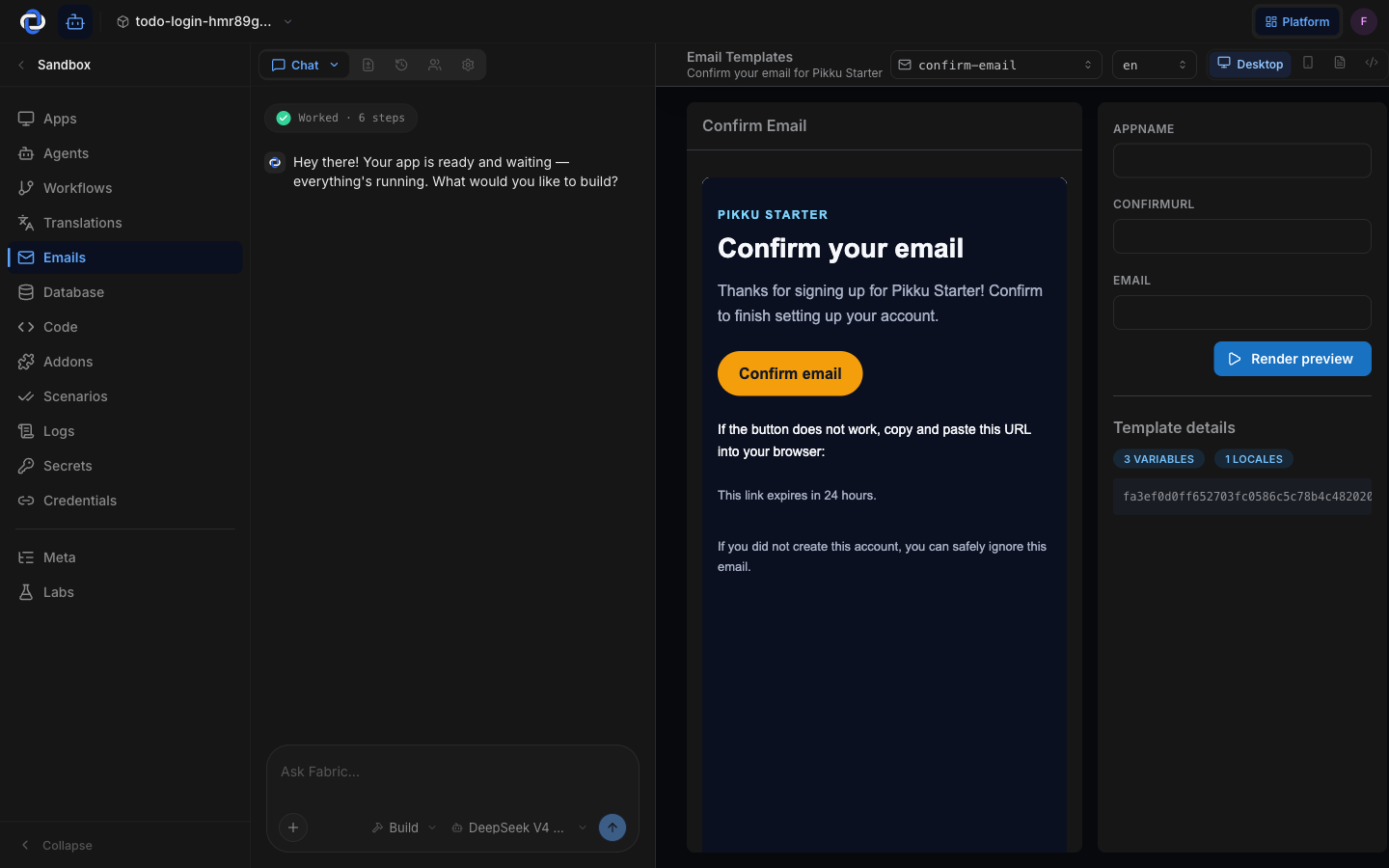
What you see
Each email your app sends shows up here as a template you can open. Selecting one shows a live preview of exactly what lands in someone's inbox — subject line, layout, and content — so you can read it the way your users will.
Previewing before it goes out
The preview renders with realistic sample content, so you're checking the real thing, not a skeleton. If your app supports more than one language, switch languages above the preview to confirm the email reads well in each — the wording comes straight from your Translations.
Email is often a customer's first impression. Reading the live preview here catches an awkward subject line or a broken layout before a single real message goes out.
How emails get sent
The emails themselves are triggered by your app — a function sends the welcome email when someone signs up, for example. This view is the window onto them: what exists, what each one says, and what it looks like. To change when an email fires or what it contains, describe the change in the Builder.
Where to go next
- Translations — manage the wording your emails use, in every language.
- Functions — the jobs that actually trigger your emails.
- Credentials — connect the service that delivers your mail.