Code
Browse the real source files behind your app, right in the builder.
Pikku Studio Cloud writes real, standard code — and it's never hidden from you. The Code view lets you browse your project's files exactly as they are on disk, straight from the builder. Whether you're curious, reviewing what the AI wrote, or you just want to read the source, it's all right here.
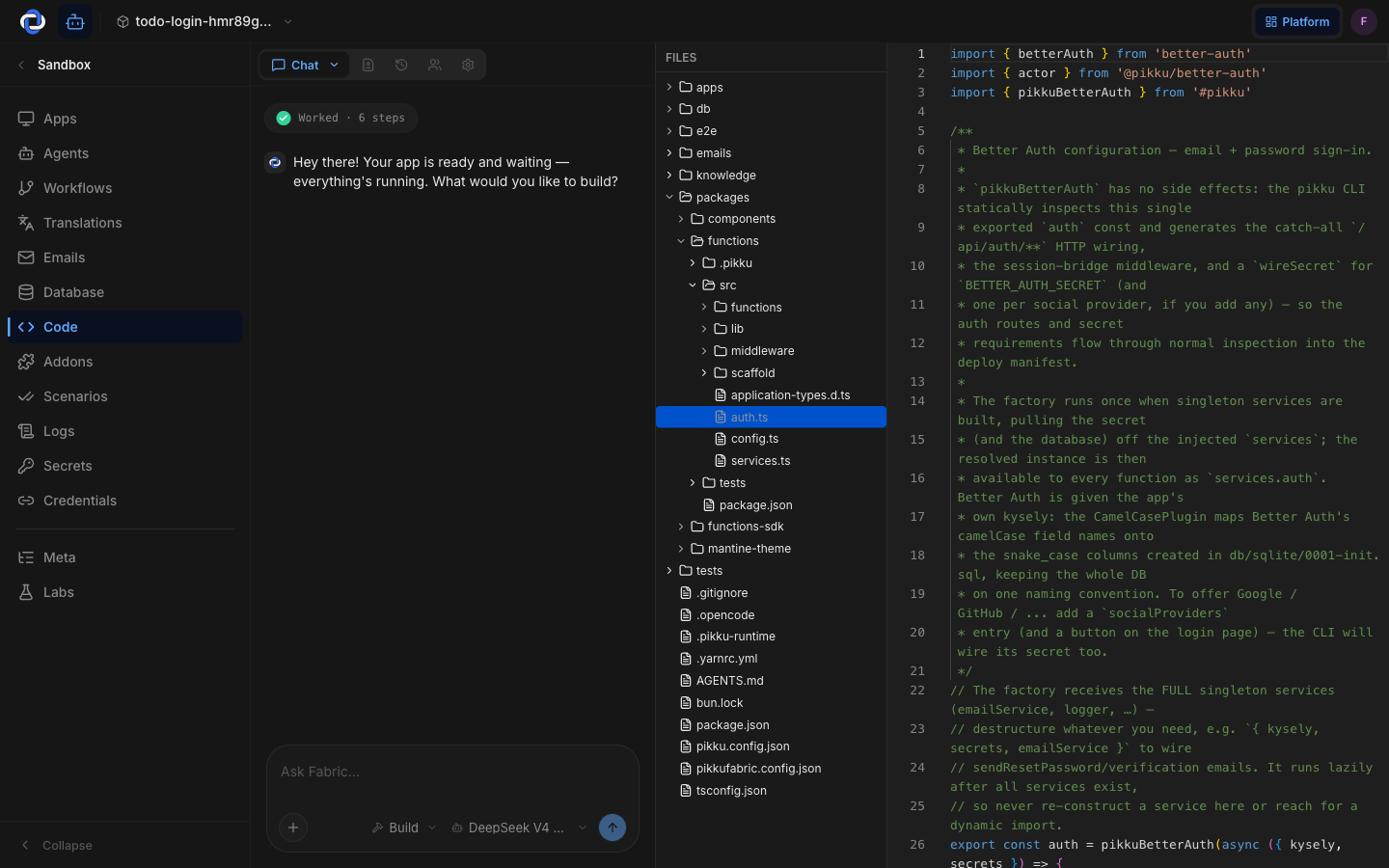
Browsing your project
The file tree on the left mirrors your project's real structure — folders and files, just as a developer would see them in an editor. Click a file to open it; it's shown with syntax highlighting so it's easy to read. Pick a different file any time to jump around.
Why it's here
- Nothing is hidden. When the AI builds something, you can open the exact files it created or changed and read them yourself.
- It's real code. This isn't a simplified view — it's the standard Pikku source you'd get if you cloned the repo and ran the project yourself.
- Read without leaving. No need to clone the repo or open a separate editor just to see how something works.
The Code view is the proof behind "no lock-in" — the real source is always one click away, and it's yours.
Reading vs. changing
The Code view is for reading and understanding your project. To change code, describe what you want in Chat and review the result here — or, if you're a developer, drop down to the CLI and work in your own editor. Either way, the files you see here are the single source of truth.
Where to go next
- Chat — read, edit, and reason about your project in plain language.
- Changes — review exactly what's changed before you commit.
- Building with Pikku — the open-source framework your code is written in.