App preview
Live preview of your frontend app running inside the sandbox.
The App Preview lets you watch your app actually run while you build it. As the AI makes changes, the preview updates so you can click through your real app and see your ideas working — long before anything touches production. It's the fastest possible feedback loop: describe a change, see it live, decide if it's right.
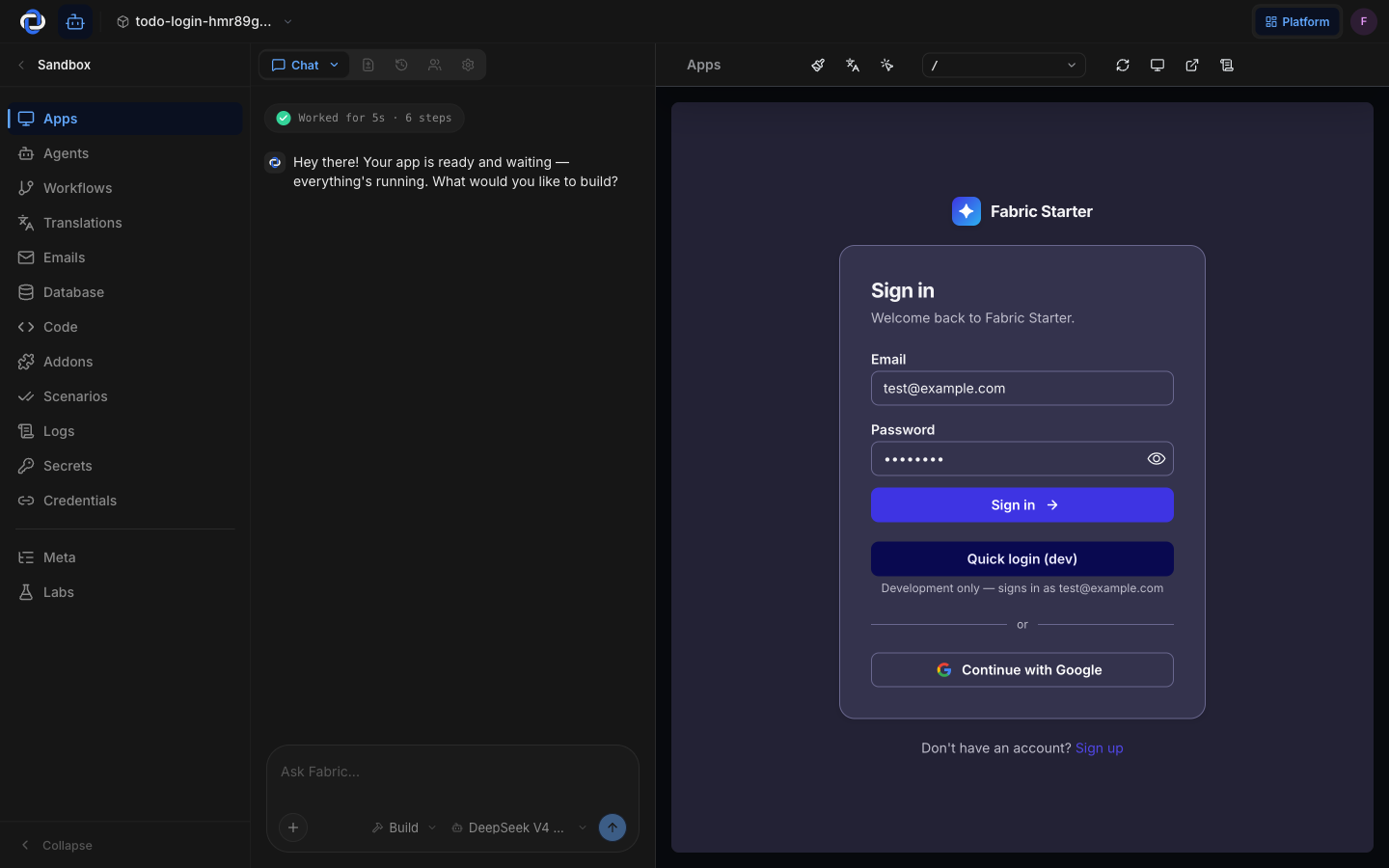
It's your real app, running privately
The preview isn't a mock-up or a static picture — it's your actual frontend running inside a sandbox, a private, isolated copy of your whole app that belongs only to you.
- It's real. What you see is your genuine app, behaving the way it will once it's live.
- It's private. Only you can see your preview. Customers and the public can't reach it.
- It's isolated. Because the preview runs in a sandbox, a broken preview never means your live site is broken. You can break things on purpose here and your real customers won't notice a thing.
Why it sometimes needs to wake up
To save resources, a sandbox goes to sleep when you're not using it. The first time you open the preview after a break, it may take a moment to wake up — that's normal, not an error. Give it a few seconds and your app appears, ready to use. You can learn more about how this works in Sandbox lifecycle.
If the preview looks broken
Don't panic — a broken preview only affects your private sandbox, never your live site. It usually just means the change you're working on isn't finished yet. Ask the chat to fix it, or undo the change, and the preview refreshes. Your real customers are completely unaffected the entire time.
Where to go next
- Chat — make a change and watch the preview update.
- Sandbox lifecycle — why sandboxes sleep and wake.
- Deployments — the step that takes what you see in the preview live.