Database schema
Viewing your live database schema from the console.
The schema viewer shows you the shape of your live data — which tables your app stores and how they connect — without needing a database tool or any database expertise. A "table" is just a list of one kind of thing, like users or orders. This is a window onto your data's structure, and it's read-only: you're looking, not changing.
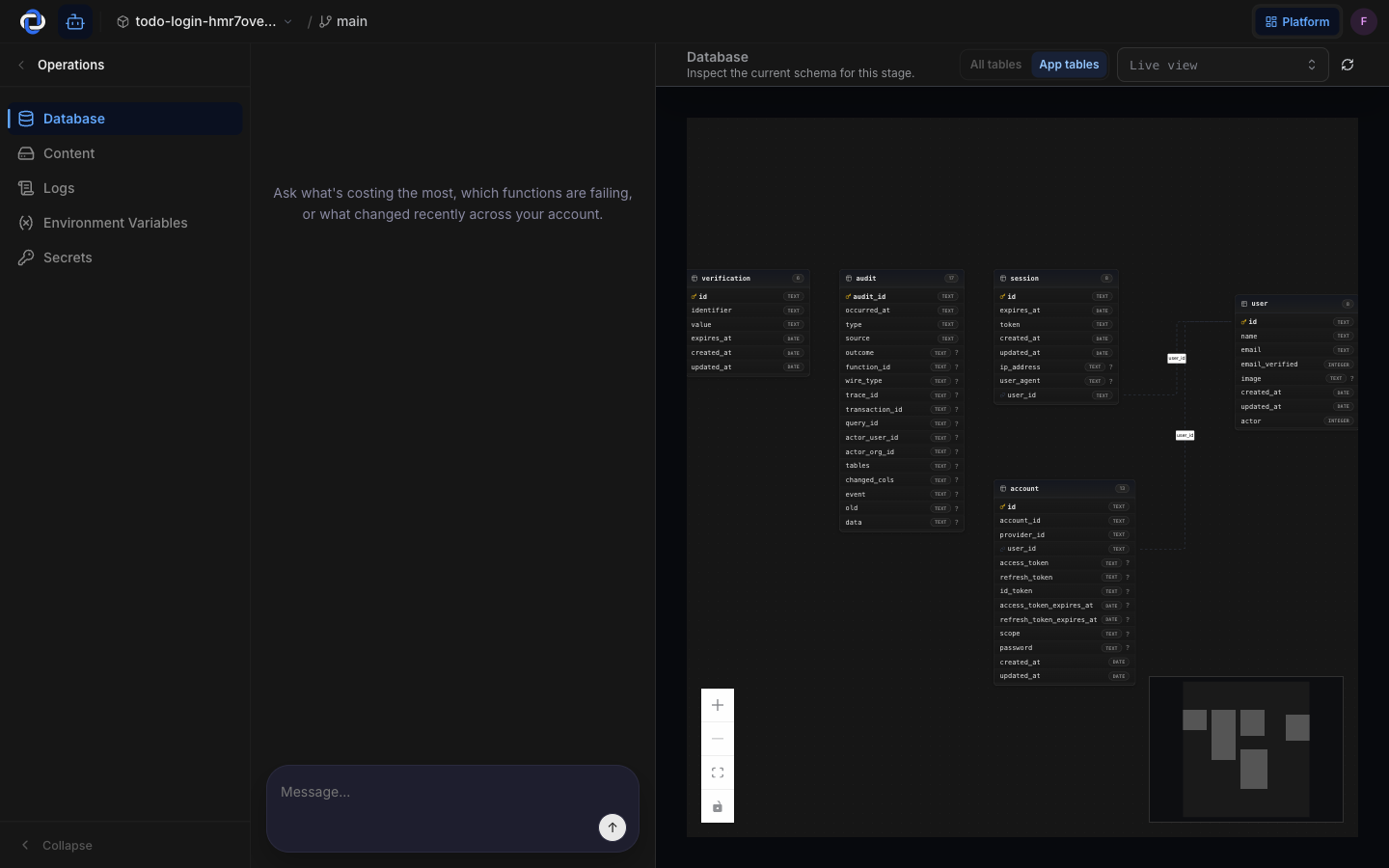
What it's for
When you want to understand what your app actually keeps track of, this is the place. It answers questions like:
- What kinds of things does my app store? Each table is one kind — users, orders, messages.
- What details does it keep about each one? Each table lists its columns — a user's email, an order's total.
- How do they relate? Lines between tables show the connections — for example, which orders belong to which user.
You don't need to know any database language to read it. The boxes and lines tell the story.
You can't break anything by looking
Worried about accidentally deleting or changing something? You can't. The schema viewer is read-only — it shows the structure of your data, not the data itself, and it offers no way to edit, add, or remove anything. Browse it freely; it's purely a window.
You didn't have to design this
Here's the part vibe coders love: you didn't draw up any tables. When you described your app, Pikku Studio Cloud created the schema for you — the tables, their columns, and the connections all came from what you asked for. The viewer simply shows you the result so you can confirm it matches what you had in mind.
Like the rest of observability, this only reads and displays. Looking at your schema changes nothing about your app or your data.
Where to go next
- Observability overview — your app's live health at a glance.
- Logs — search the record of what your app did, including how it used this data.
- Core concepts — the handful of words you'll see across Pikku Studio Cloud.