Deployments
How deploys are triggered, tracked, and promoted.
A deployment is one tracked shipment of your app. Every time a change goes out, Pikku Studio Cloud records it as an event you can watch from start to finish, promote toward production, and undo if you need to. No change to your live app is ever a mystery — it's a visible shipment you control.
What happens when you deploy
A deployment moves through clear, trackable steps. You can see where it is at every moment.
- Triggered. A deploy starts when you ship a change — for example, promoting work from Development. Pikku Studio Cloud records who started it and when.
- Tracked end to end. You watch its progress live — each step, as it happens.
- Promoted to production. Once it's ready, the change is promoted up to your live stage. The new version takes over and the deployment is marked Live.
Does my app go down during a deploy?
No. Deployments are zero-downtime. Your current version keeps serving real users the entire time the new one is getting ready — there's no gap where the app is offline.
When the new version is ready, traffic moves over to it. Any work that was already in progress on the old version is allowed to finish on the old version, while new requests go to the new one. This graceful handover is called draining, and you can watch its progress in the console.
If a deploy goes wrong
Every previous version is kept, so undoing a bad change is one click away.
- One-click rollback. Pick a previous version and Pikku Studio Cloud redeploys it for you. It's already built, so there's nothing to rebuild and nothing to recompile — the switch is quick.
- Roll back with the same zero-downtime handover. Going back ships exactly like going forward: the current version keeps serving until the restored one is ready, then traffic moves over. Just as smooth in reverse.
A timeline showing the old version (v2) fading as its live traffic "drains" while the new version (v3) ramps to full traffic with no gap, plus a curved "Roll back" arrow from v3 to v2. Caption: "New versions take over with zero downtime; roll back to any previous version in one click."
Going live is never a leap of faith. Your old version keeps running until the new one is fully ready, and if anything looks wrong you roll back to the previous version in one click.
A full history of every shipment
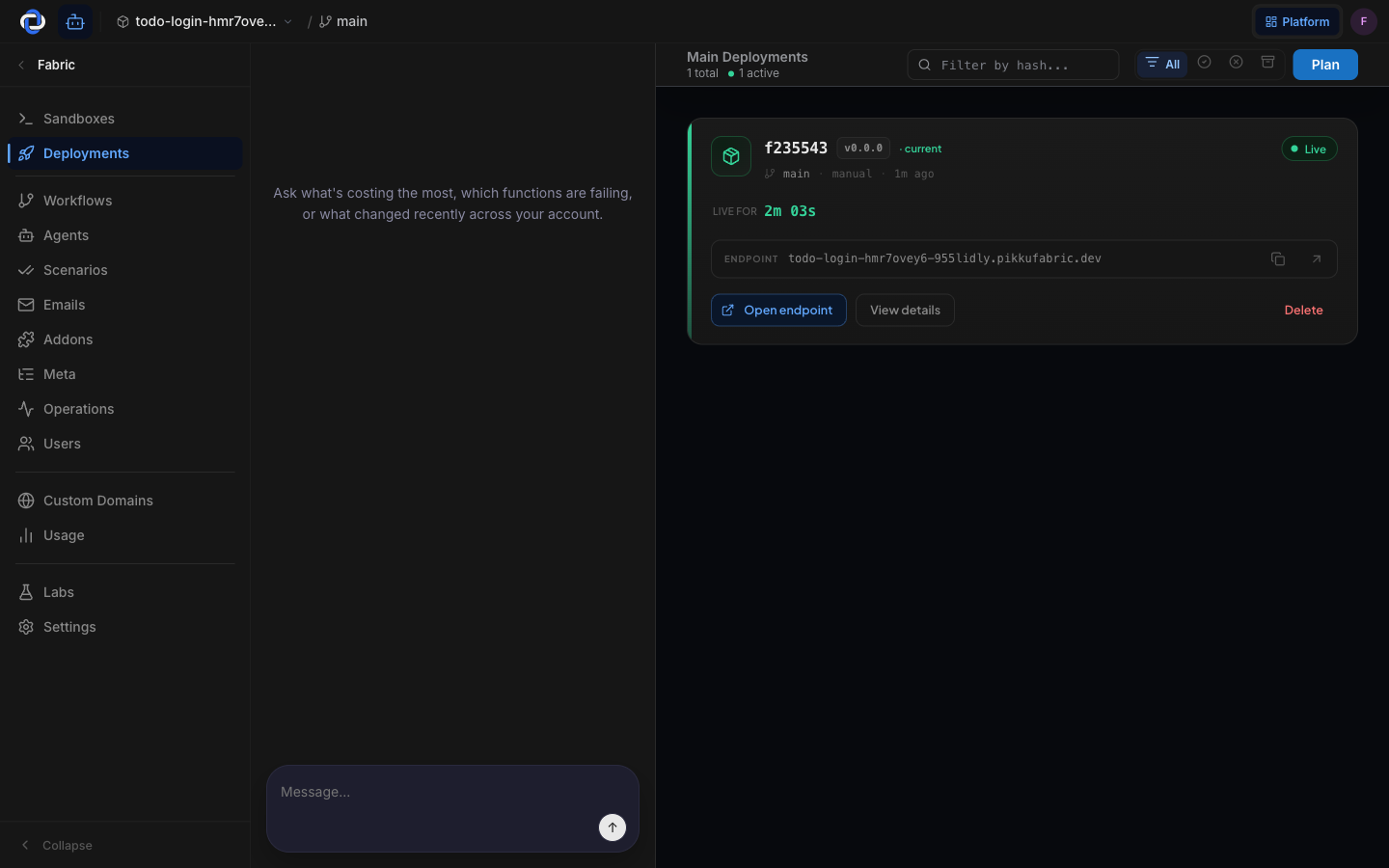
The Deployments list is your record of what went out and when. Each entry shows the commit and version, how and when it was triggered, its status (for example, Live), and the live web address it serves. Nothing about your production app is hidden — and any past deployment can be rolled back to.
Where to go next
- Publishing — the step in the builder that starts a deploy.
- Functions — see every deployed function and its full version history.
- Stages & environments — where deployments are promoted from and to.