Stages & environments
Production, staging, and preview stages.
A stage is a separate copy of your app, each one for a different purpose. You build and try things out in one copy without ever touching the copy real customers use. That clean line between "live" and "still testing" is what keeps you safe to experiment.
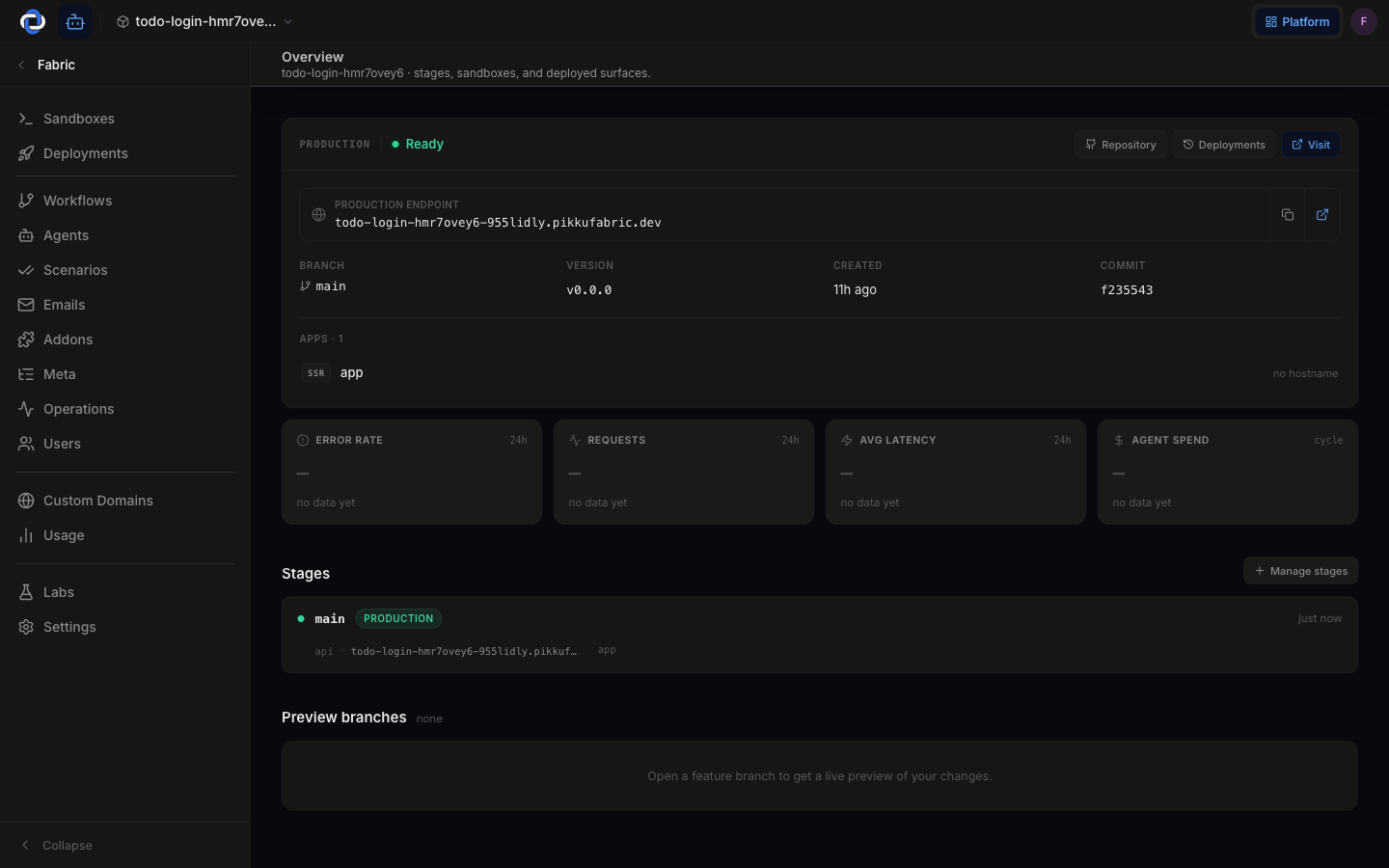
What a stage is
Think of each stage as its own running copy of your app, with its own settings, its own data, and its own web address. Changing one stage never affects another.
- Production — the live one. This is what the world sees and what your real customers use. Treat it carefully.
- Development — your shared testing copy. Build, try things, and break things here. Nothing here reaches customers.
- Preview — a temporary copy, handy for showing a specific change to a teammate before it goes anywhere permanent.
Production is the only stage real customers ever touch. Nothing reaches it by accident — it only goes live when you deliberately promote it, and you can roll back in one click.
Stage vs sandbox — which am I touching?
These sound similar but they're different, and knowing which one you're in matters.
- A stage is a shared, deployed copy. Your whole team sees the same Development stage, and Production is the real thing.
- A sandbox is your private, throwaway copy. It's just for you to tinker in, and you can discard it without consequence.
So: experiment freely in a sandbox, share work in Development, and only put trusted, reviewed changes into Production. See Core concepts for the full picture.
Moving from development to production
You don't accidentally ship to production. Moving a change up from Development to Production is a deliberate step you trigger and control — it's called promotion, and it's tracked from start to finish.
- Build and test in Development. Confirm the change does what you want where it can't hurt anyone.
- Promote it. When you're happy, promote the change up toward Production. Pikku Studio Cloud records who promoted what and when.
- It goes live with zero downtime. The new version takes over without interrupting anyone, and you can roll back at any time.
See Deployments for exactly what happens during a promotion.
Per-stage settings
Each stage can hold its own configuration — for example, a test payment key in Development and the real one in Production. You manage these per stage so the right values are always used in the right place. See Environment variables.
Good to know
- Nothing reaches Production by accident. It only goes live when you promote it.
- Stages are isolated. Breaking Development can't break Production.
- Each stage tracks its own status and last deploy time, so you always know what's running where.
Where to go next
- Deployments — how a change is promoted from one stage up to Production.
- Core concepts — projects, sandboxes, stages, and deployments in one place.
- Environment variables — set different values per stage.